An AI receptionist for HVAC companies addresses one of the most expensive problems in the trade: the call that never gets answered. A homeowner’s AC quits at 9 PM on a July Tuesday. She searches Google, finds your number first, calls, and hits voicemail. She hangs up and calls the second result. That second company picks up, books the appointment, and eventually replaces the unit, a full system replacement that typically runs several thousand dollars depending on region and equipment. You never knew the call came in. This scenario plays out hundreds of times per season for HVAC companies without a live answering solution. Based on average ticket sizes and typical call volume, missing just three to five calls per week during a summer peak can cost well over $80,000 in a single season, and that estimate assumes conservative ticket values.
An AI-powered virtual receptionist for HVAC closes that gap. It can answer every call at any hour, capture the caller’s details, identify whether the situation is an emergency or a scheduled maintenance request, and book the job before the call ends, provided the vendor has two-way integrations with your field-service platform. No voicemail. No hold music. No “we’ll call you back to confirm.” The competitor never gets the chance.
Not every tool marketed as an AI receptionist actually delivers on that promise. Some are sophisticated revenue capture systems designed around HVAC call patterns and urgency logic. Others are generic chatbots with a phone interface. This article breaks down exactly how the technology works, what features matter during your evaluation, and how to run a 30-day pilot that tells you whether the system is earning its keep.
What an AI Receptionist Actually Does on a Live HVAC Call
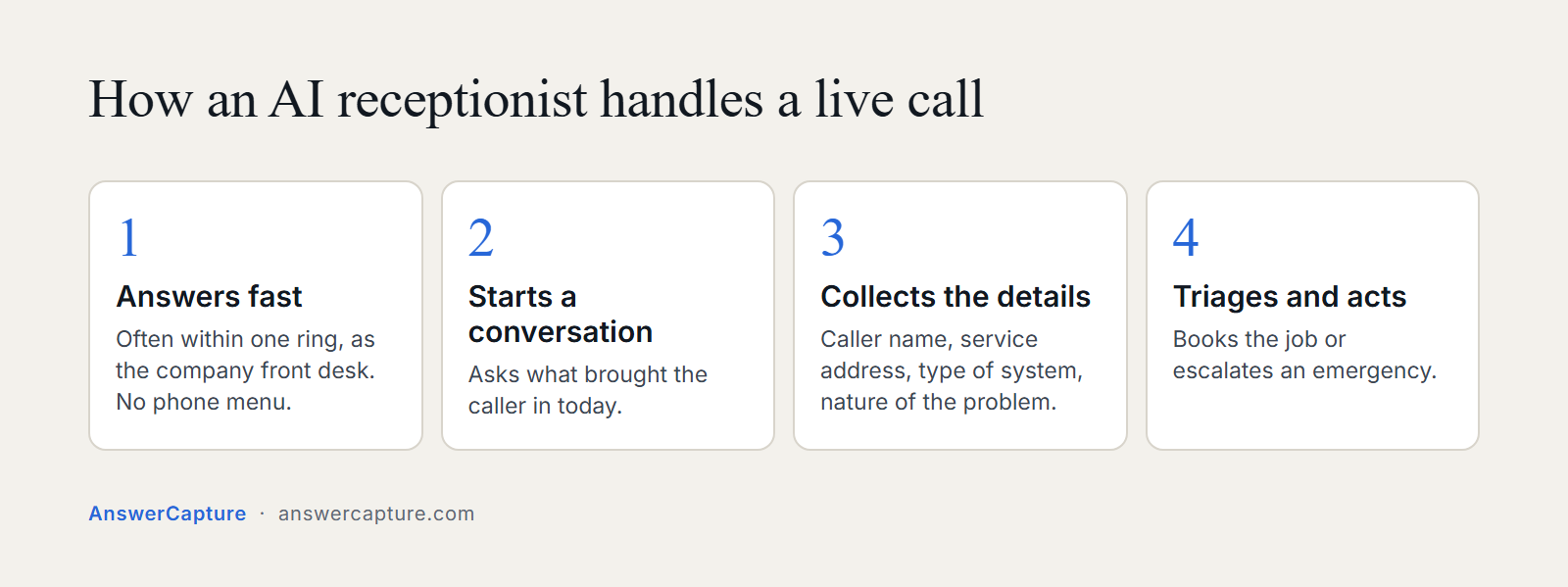
In a well-built system, the call opens quickly, often within one ring. The AI introduces itself by name, presents as the company’s front desk, and immediately begins a natural conversation. No “press 1 for service, press 2 for billing” menu. Instead, it asks what brought the caller in today, then works through a logical sequence: caller name, service address, type of system, and nature of the problem. In some systems, the whole intake completes in roughly 90 seconds, and the caller doesn’t experience it as a form. It feels like talking to a competent front desk person who knows what questions to ask.
Natural language understanding handles the range of how HVAC callers actually communicate. Some are detailed and technical. Some say “the thing stopped blowing cold air.” Some are stressed and speak in fragments. A well-built HVAC AI receptionist processes all of those inputs without losing the thread of the conversation. It follows up when an answer is vague, confirms when it needs to, and keeps the call moving toward a booking rather than stalling on incomplete information.
The distinction between a passive answering service and an active lead capture system shows up right here. A basic voicemail captures a name and phone number. An AI answering system captures the caller’s name, address, system type, problem description, urgency classification, and preferred appointment window, then logs the entire record directly into the CRM, assuming the vendor supports direct two-way writeback to your platform. The business owner doesn’t receive a sticky note. They receive a complete call summary with every relevant detail attached to a new job record.
The caller experience matters as much as the data capture. HVAC callers are often stressed, especially when a system fails in extreme weather. A robotic, stilted voice that sounds like a phone tree loses the job before the conversation even gets started. In 2026, many leading platforms now offer voices that are genuinely difficult to distinguish from a human front desk, vendors like ElevenLabs and Newo.ai are examples worth testing. That caller on the other end needs to feel heard before they’ll commit to a booking, and voice quality plays a direct role in whether that happens.
How Emergency Calls Get Detected, Triaged, and Escalated
Emergency classification in HVAC is not a binary switch. The AI doesn’t hear “furnace not working” and immediately page the on-call technician. It asks follow-up questions to confirm severity: Is the system completely non-functional? What is the current indoor temperature? Are there elderly residents, infants, or anyone with a medical condition in the home? These follow-up questions matter because the difference between a nuisance and a genuine emergency often comes down to context the caller doesn’t think to volunteer.
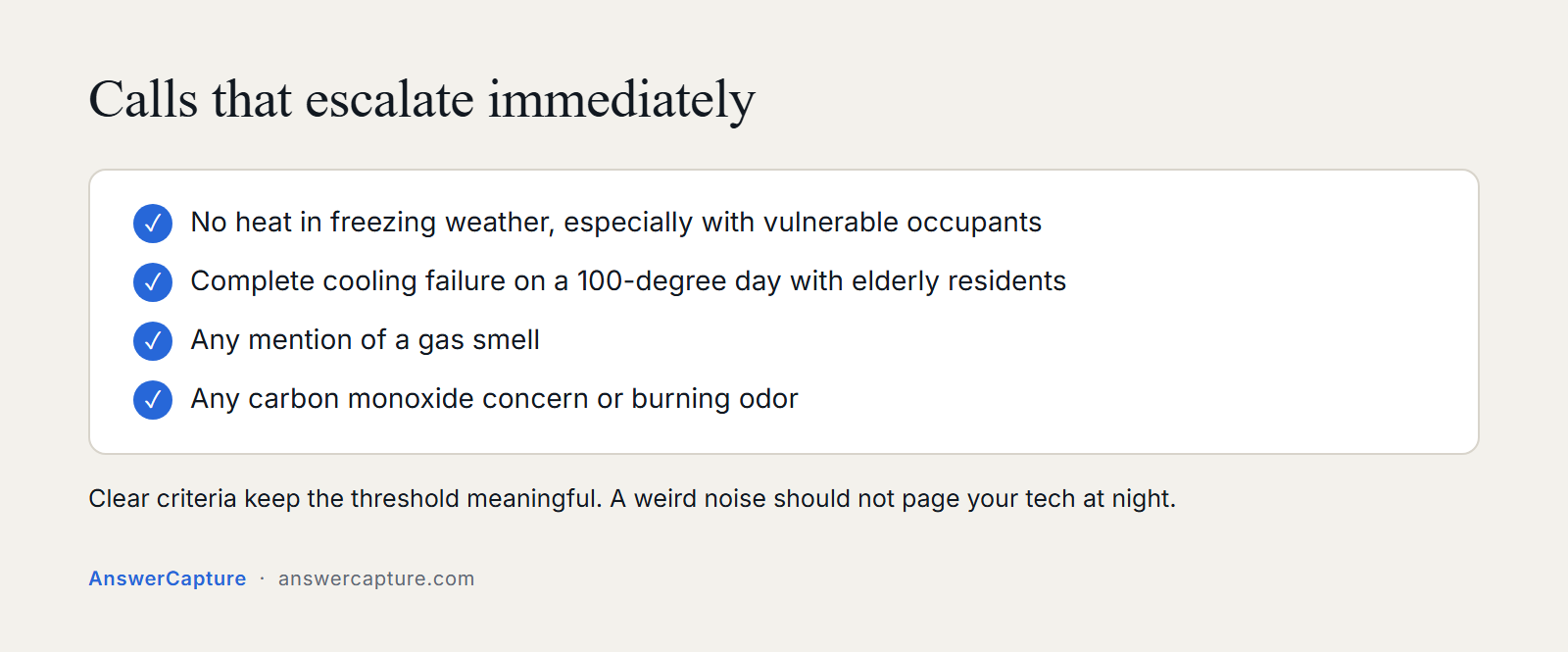
The scenarios that trigger an emergency escalation are specific. No heat during freezing weather, especially with vulnerable occupants, classifies immediately. A complete cooling failure on a 100-degree day in a home with elderly residents classifies immediately. Any mention of a gas smell, carbon monoxide concern, or burning odor goes to the top of the escalation chain without hesitation. These thresholds are configured during setup, and the HVAC company defines the criteria based on how they actually operate.
The escalation chain mirrors how professional emergency-response operations work: once the AI confirms an emergency, it routes the call summary to the on-call technician through a pre-set contact sequence. If the first contact doesn’t respond within a defined window, the system escalates to the backup contact. This tiered logic, the same discipline applied in zero-failure communication environments, is the model AnswerCapture’s infrastructure is built on. The goal is straightforward: no emergency call waits until morning.
False-positive prevention is just as important as accurate emergency detection. An AI system that escalates every “my unit is making a weird noise” call as an after-hours emergency will burn out your technicians within a week. Clear emergency criteria, paired with targeted verification questions, keep the escalation threshold meaningful. Urgent calls get an immediate response, non-urgent calls get booked into the next available slot, and nobody gets a 2 AM page for something that can wait until 8.
From Answered Call to Booked Job: How Scheduling and Dispatch Sync Works
The most important moment in an HVAC call is when the caller agrees to an appointment. If the next step is “great, someone will call you back to confirm a time,” a significant share of those prospective jobs evaporate before the callback happens, lead-response research consistently shows conversion drops sharply with any delay. The caller gets a competitor’s call first, or schedules with someone else, or simply cools off. A properly built AI dispatcher closes the job during the call itself, checking real-time calendar availability and confirming the appointment window before the caller hangs up.
Platform integration is what makes that real-time booking possible. In the HVAC space, the three most common field-service platforms are ServiceTitan, Housecall Pro, and Jobber. A native two-way integration with any of these means the AI reads available slots directly from your actual calendar, books into it, and creates the job record with all the caller’s information pre-filled. That’s meaningfully different from an AI that sends an email notification to a dispatcher who then manually enters the data. The former locks the job. The latter creates a step where the job can still slip through.
Several vendors in 2026 claim two-way integrations with these platforms, verify each claim directly with the vendor before committing. AutoRev AI and PYREXA cite support for all three platforms. Sameday and AgentZap have publicized ServiceTitan-specific integrations. The important evaluation question is whether the integration writes back to the platform in real time or just sends a notification. Ask vendors to walk you through exactly what happens in the platform after a call closes, and verify it with a live test booking before signing anything.
What lands in the owner’s record after every call is what makes the system auditable. A complete call log includes the caller’s name, service address, system type, issue description, emergency classification, the appointment confirmation, and a full transcript of the conversation. For HVAC owners who previously had zero visibility into what happened on after-hours calls, this level of documentation represents a significant operational shift. Every lead is accounted for, every interaction is on record, and nothing falls through because someone forgot to write it down.
Key Features to Evaluate Before Choosing an AI Receptionist for HVAC
Voice Quality and Language Coverage
Voice quality is the first filter, and it eliminates a surprising number of options. Call completion rates drop when callers sense they’re talking to a robotic system. In 2026, many leading platforms offer voices that are genuinely difficult to distinguish from a human front desk. For HVAC markets with diverse customer bases, English and Spanish with automatic language detection is a practical minimum, a notable portion of service calls in major U.S. metros originate from Spanish-speaking households. Vendors like ElevenLabs and Newo.ai advertise 30 to 60-plus languages with lifelike voice output. Dialzara offers 10 languages with automatic detection as a more budget-friendly option.
Pricing Models and Seasonal Volume
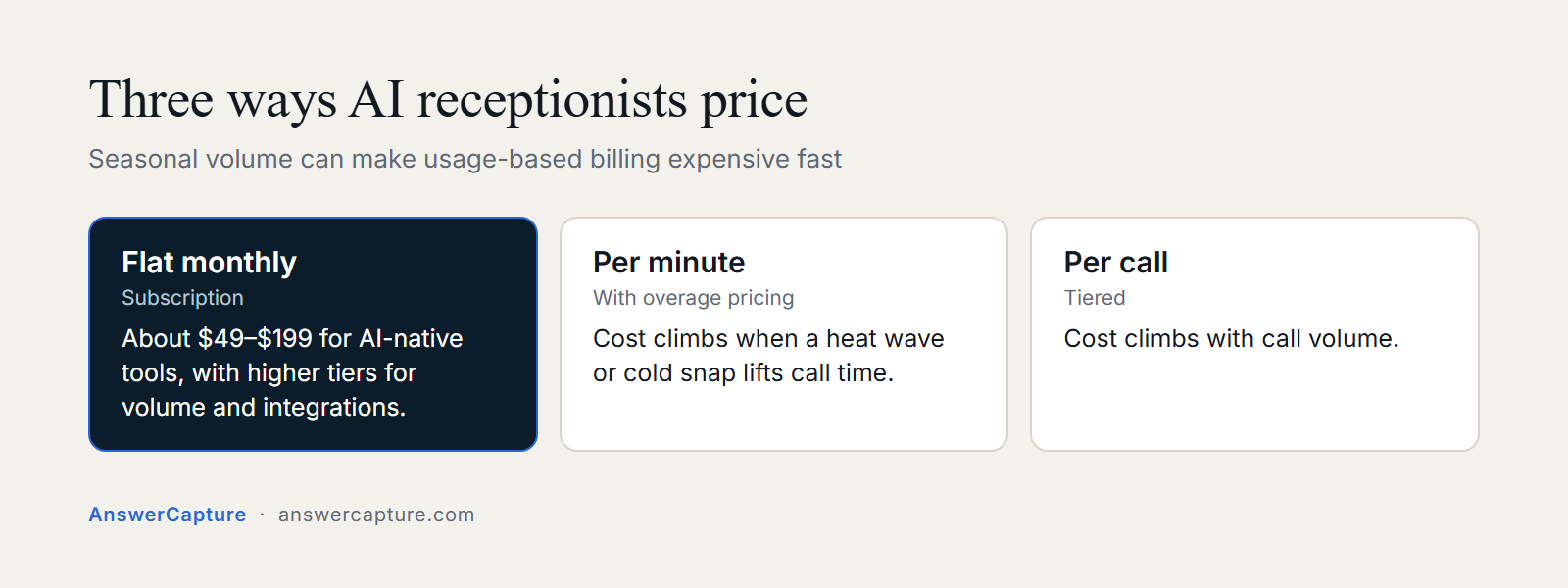
Pricing structure deserves close attention for HVAC companies specifically, because seasonal volume spikes can make per-minute or per-call billing expensive fast. The market breaks down into three models: flat monthly subscriptions in the roughly $49 to $199 range for AI-native tools (with higher tiers for volume and integrations), per-minute plans with overage pricing, and per-call tiers. During a summer peak when your call volume doubles or triples, a flat-rate subscription absorbs that spike without a surprise invoice. Per-minute pricing, which can run $0.15 to $0.48 per minute depending on the vendor, becomes the more expensive option once you’re above roughly 300 to 400 minutes per month.
Implementation Model: Self-Service vs. Done-for-You
The most important evaluation question is whether the tool is software you configure or infrastructure someone builds for you. Most AI virtual receptionist platforms are self-service: you design the call flows, write the prompts, manage integrations, and troubleshoot when something breaks. For an HVAC owner running a crew and managing field operations, that’s a meaningful burden. A smaller category of providers handles implementation, triage logic, CRM integration, and booking workflows on your behalf. AnswerCapture operates in that category, a done-for-you revenue capture system where the HVAC-specific logic is configured from day one and the owner isn’t responsible for managing the infrastructure. For a solo operator or small team without a dedicated ops person, that distinction often determines whether the system actually gets used or sits dormant after a complicated setup.
How to Run a 30-Day Pilot and Know If It’s Working
Before the pilot starts, pull three numbers: your current call-to-book conversion rate, your estimated missed call volume during after-hours and weekends, and your average time from first call to confirmed appointment. If you don’t have clean data on all three, estimate conservatively. The benchmark that matters most is missed calls, because that’s the clearest signal of the revenue gap the system is designed to close. Based on average ticket values and the concentration of missed calls during peak windows, the annual revenue gap from after-hours call misses typically runs $80,000 to $150,000 for a mid-size HVAC company, and most of that volume is concentrated in the peak summer and winter periods.
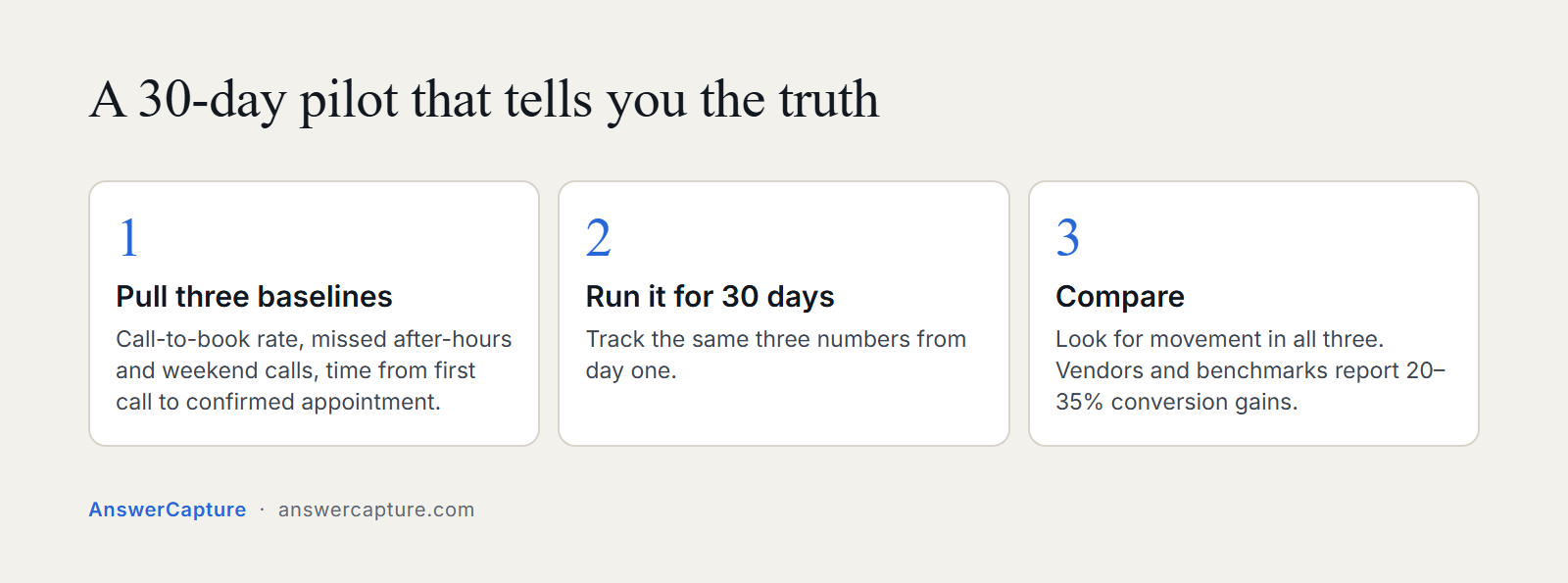
After 30 days, the system should show measurable movement in all three numbers. The clearest gains appear in after-hours and weekend call capture, because that’s where the gap between a human-only answering approach and an always-on automated HVAC customer service system is most pronounced. Vendors and third-party benchmarks report conversion rate improvements in the 20 to 35 percent range for HVAC companies that move from voicemail or inconsistent live answering to a well-implemented AI system. Some vendors report larger gains, particularly when the baseline involved significant after-hours voicemail volume.
Set honest expectations for what the pilot will and won’t show you. An AI receptionist for HVAC handles inbound call capture, qualification, and booking reliably. It doesn’t replace a skilled service coordinator managing complex, multi-touch customer relationships. What it does is ensure that every call that hits your line gets answered, every lead gets captured, and every bookable job gets locked before the caller considers another option. For most HVAC companies, that’s where the largest single revenue recovery opportunity sits.
The next step before committing to any vendor is a live call demo. Call the system yourself, present a realistic after-hours scenario, and evaluate how it handles the conversation. Use an “after-hours furnace failure with an elderly resident in the home” scenario and see whether the system asks the right follow-up questions, correctly classifies it as an emergency, and walks you through what the escalation would look like. That single test conversation reveals more about how the system will perform for your business than any marketing page or feature checklist.
The Bottom Line on AI-Powered Call Handling for HVAC
A purpose-built AI receptionist for HVAC answers every call, captures the information that matters, routes emergencies accurately, and books jobs into your calendar without requiring anyone to call back. The technology is operational and widely deployed in 2026. The revenue gap it closes, callers who previously hit voicemail and booked with a competitor, is real and measurable for most HVAC companies within the first 30 days of a pilot.
Your evaluation turns on emergency triage accuracy, depth of integration with your field-service platform, and whether the implementation model fits how you actually operate. A solo operator or small crew benefits most from a done-for-you infrastructure approach where the system is built, configured, and maintained without placing any technical burden on the business owner. Self-service tools with lower sticker prices frequently cost more in time and frustration than they save in subscription fees.
Take one concrete step before this week is out: request a live call demo from your top two or three candidates. Run the furnace failure scenario yourself. Listen for voice quality, emergency detection accuracy, and how smoothly the system moves toward a booking confirmation. The call you make today to evaluate your options is the same kind of call your customers make when their heat goes out at 11 PM. How the system handles yours tells you what you need to know. If you want to see how AnswerCapture’s AI receptionist for HVAC handles it, a live call demo is available with no commitment required.